

Keeping Your Phone Alive in Lapland’s Extreme Cold
Updated 10 September 2026.
Some links on this page are affiliate links. If you book through them, I earn a small commission at no extra cost to you. I only recommend services I genuinely trust for Lapland travel.
Your phone battery doesn’t care about your holiday plans. At −20°C (−4°F), a fully charged iPhone can drop from 80% to dead in under ten minutes. Your expensive camera-GPS-map-torch-everything device becomes a cold brick right when you need it most – standing on a frozen lake watching the northern lights, or navigating an unfamiliar road in polar darkness. The good news: this is entirely preventable. Finns deal with these temperatures for months every year, and nobody here has a special Arctic phone. We just know how to keep our regular phones alive.
The core trick is simple: body heat. Keep your phone in your inner jacket pocket, take it out for photos, put it back. That’s 80% of the battle. The rest is preparation.
Why Batteries Die in the Cold
Lithium-ion batteries – the kind in every smartphone – rely on chemical reactions that slow down dramatically in cold temperatures. The lithium ions literally move more sluggishly through the electrolyte. This means the battery can’t deliver power as efficiently, and the phone’s software interprets the voltage drop as “battery empty” even when there’s charge left.
The result: your phone shows 60%, you pull it out of your pocket, and two minutes later it shuts down. The battery isn’t actually dead – it’s just too cold to function. Bring it back to room temperature and the charge often returns. But that’s not much comfort when you’re trying to photograph the aurora or check your map on a remote forest road.
The shutdown threshold varies by phone. Cold weather affects all smartphones, but some handle it worse than others. Apple’s iPhones are notoriously more sensitive to cold than Samsung Galaxy phones. If you’ve ever had your iPhone die on a cold day in London, multiply that problem by five for a Lapland January.
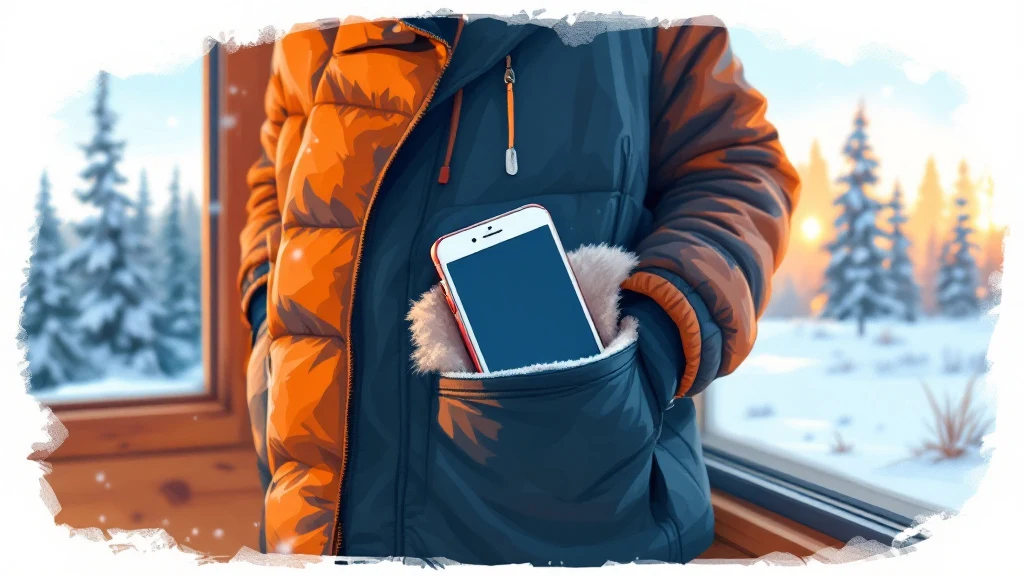
Prevention: The Body Heat Method
This is how every Finn manages their phone in winter, and it works perfectly.
Inner pocket, always. Your phone belongs in the chest pocket of your mid-layer – the fleece or down jacket you wear under your outer shell. Not in your outer jacket pocket (too cold), not in your trouser pocket (too far from your core heat), and definitely not in your hand or a backpack. Body heat keeps the battery at a workable temperature.
The photo routine: Take phone out, shoot your photos, put it back inside. The whole interaction should take a minute or two at most. Don’t stand there scrolling through your shots to pick the best one – do that later, indoors. Every minute your phone spends exposed to −20°C is battery life you won’t get back.
Warm your hands before handling it. If you’ve been touching metal or snow, your cold fingers on the screen can cause condensation issues when you bring the phone back into warmth. Give your hands a quick warm-up in your mittens first.
Power Banks: Your Essential Backup
A power bank is non-negotiable for a Lapland winter trip. But here’s what most visitors don’t realise: power banks use the same lithium-ion chemistry as your phone. They hate the cold just as much.
Keep your power bank in an inner pocket too. If it’s cold, it won’t charge your phone properly – or at all. Some people carry two: one warming against their body, one connected to their phone inside the jacket.
What to look for:
- Capacity of at least 10,000 mAh – enough for two to three full phone charges
- A 20,000 mAh bank gives you more headroom but is heavier and bulkier
- Fast charging support (USB-C PD) so you spend less time with the cable exposed
- Compact size that fits in a jacket pocket – a power bank that lives in your backpack is useless when you need quick top-ups
Charge your power bank fully every night at your accommodation. Top up your phone too, obviously – but starting each day with a full power bank is your insurance policy.
iPhone vs Android: Cold Weather Performance
Not all phones suffer equally in the cold. Here’s the honest breakdown:
| Factor | iPhone (recent models) | Samsung Galaxy (recent models) |
|---|---|---|
| Cold sensitivity | Higher – more prone to sudden shutdowns | Lower – generally more resilient |
| Operating temp (official) | 0°C to 35°C | 0°C to 35°C (same spec, better real-world tolerance) |
| Battery recovery | Usually recovers charge when rewarmed | Usually recovers charge when rewarmed |
| Touchscreen with gloves | Works with capacitive glove tips | Works with capacitive glove tips |
| Camera in cold | Excellent quality, lens can fog | Excellent quality, lens can fog |
If you own an iPhone, you need to be more disciplined about the body-heat method. Don’t leave it out even for a few minutes during an activity. Samsung and other Android users have a bit more breathing room, but the same rules apply – no phone enjoys −25°C.
One thing to watch on any phone: the touchscreen. Your bare fingers will freeze quickly, and most winter gloves don’t work with touchscreens. Pack a pair of thin capacitive-touch liner gloves or buy gloves with touchscreen-compatible fingertips. Some people use a phone stylus – it works through liner gloves.
Navigation When Your Phone Dies
This is the part that actually matters. A dead phone for photos is annoying. A dead phone when you’re navigating a rural Finnish road at night is a problem.
Download offline maps before you go. Both Google Maps and Maps.me (now Organic Maps) let you download entire regions for offline use. Download all of Finnish Lapland – it’s not a huge file and it works without any data connection. Do this at your accommodation over WiFi before heading out.
Google Maps offline still gives you turn-by-turn navigation (it will use GPS, which works without a mobile signal). Organic Maps is lighter and works well as a backup app. Having both installed means redundancy.
If you’re driving a rental car, most modern rentals have built-in GPS navigation. It’s not affected by cold the way a phone is. Ask at the rental desk how to operate it – it’s usually pre-loaded with Finnish maps. This is your primary backup.
If your phone does die mid-route: Don’t panic. Finnish roads are well-signposted, even rural ones. Road numbers are clearly marked at every junction. If you’ve noted your destination’s road number before setting off (most Lapland accommodation will give you directions by road number), you can navigate old-school by following signs. E75 runs north to Inari, Route 79 runs west to Muonio and Levi, Route 4 goes south to Rovaniemi. The road network in Lapland is simpler than you’d think – there aren’t many options.

Emergency Backup
For genuine emergencies, Finland’s emergency number is 112 – same as the rest of Europe. Your phone can dial 112 even with no SIM card, no signal from your own provider, and even when the phone shows “no service.” It will connect through any available network.
But if your phone is dead, it dials nothing. A few precautions:
- Tell someone your plans. Before heading out for a drive or a hike, let your accommodation know your route and expected return time. This is basic Finnish wilderness sense.
- Travel with a fully charged power bank – even a small emergency one in a warm pocket gives you enough juice for a short phone call.
- Car cigarette lighter chargers work well. Keep a USB car charger in the rental car. If your phone dies while driving, plug it in – it’ll boot up within a few minutes even from zero.
- Carry your phone in a case. Even a basic silicone case provides slight thermal insulation, and more importantly, protects against drops – cold makes phone screens more brittle and more likely to crack on impact.
If you’re venturing into the backcountry – multi-day hikes or long snowmobile routes away from roads – consider a basic backup phone. An old Nokia-style phone with physical buttons lasts days on a single charge and is far more cold-resistant than a smartphone. Several Lapland activity operators carry them as standard emergency equipment.
Quick Reference: Cold Weather Phone Survival
| Situation | What to do |
|---|---|
| Walking around town | Phone in inner chest pocket, take out for quick photos only |
| On a safari or activity | Inner pocket + power bank connected via short cable inside jacket |
| Driving | Keep car heater on, phone mounted normally. Carry USB car charger as backup |
| Aurora hunting at night | Warm phone in pocket, expose only for photos. Switch to airplane mode to save battery |
| Phone shuts down | Put it against your body for 5-10 min. It will usually restart with recovered charge |
| Coming indoors from cold | Let phone warm gradually in pocket – sudden heat causes condensation inside the device |
That last point catches people out. Walking from −20°C into a warm cabin and immediately using your phone can cause moisture to condense inside the device and on the lens. Leave it in your jacket pocket for a few minutes as you settle in. Let it warm up slowly.
Frequently Asked Questions
At what temperature do phone batteries start failing?
Most smartphones officially operate down to 0°C, but real-world shutdowns typically start around −10°C to −15°C depending on the model and battery age. Older batteries with reduced capacity are more vulnerable – if your phone already struggles to last a full day at home, expect worse performance in Lapland’s cold. A pre-trip battery health check is worth doing.
Will the cold permanently damage my phone battery?
Brief exposure to cold doesn’t cause permanent damage – the battery recovers when warmed. However, repeatedly charging a lithium-ion battery while it’s very cold can cause permanent capacity loss. Always let your phone return to room temperature before plugging it in to charge overnight.
Can I use my phone camera for aurora photos?
Yes – modern smartphone cameras (iPhone 14+ and Samsung Galaxy S22+) have night modes capable of decent aurora shots. The challenge isn’t the camera, it’s keeping the phone alive long enough to use it. Use airplane mode to conserve battery, take your shots quickly, and keep the phone warm between attempts. For serious aurora photography, a dedicated camera with a tripod is far better.
Do hand warmers help keep a phone warm?
Chemical hand warmers (the disposable kind) can work in a pinch – put one in the same pocket as your phone. But they’re a supplement to body heat, not a replacement. They also generate uneven heat that shouldn’t be placed directly against the phone. Wrap the warmer in a cloth or sock and place it beside the phone in your pocket.
Best Booking Resources for Lapland
These are the booking tools I keep coming back to. They consistently offer the best prices, the most relevant options for northern Finland, and actually work well for Lapland-specific searches, which not all platforms do.
- Kiwi.com: The best source for finding flights and airport connections. I have noticed they find flight connections that other search engines miss.
- Booking.com: I almost always use them for booking hotels and apartments (and occasionally flights). They have the best filters and I like the user-friendly interface.
- Hotels.com: The most popular hotel booking platform in many countries, US included.
- Get Your Guide: A massive selection of tours and excursions, including aurora tours, husky rides, reindeer experiences and more!
- EconomyBookings: Want to explore Lapland or chase auroras yourself? They pool together the best offers from car rental operators for your convenience.
- yesim: Need a local SIM for Lapland? A stress-free holiday nowadays (unfortunately) might start from a good connection, so get an eSIM with unlimited or prepaid data.
- Ekta Traveling: Not interested in checking out the Finnish public health care system on your holiday? Didn’t think so 🙂 Good insurance gets that stress out of the way.
As an Amazon Associate I earn from qualifying purchases. Booking through these links costs you nothing extra and helps keep these guides free and up to date. Thank you!

Planning a Lapland trip?
Ask a Finn. The Lapland Trip Planning: Finland group is where readers compare dates, resorts and real prices for the coming winter.
Join the planning groupFollow on FacebookFollow on Pinterest